
Case study
Nobody keeps your records up to date? The problem is not your team
Published on · 7 min read
Nobody likes updating customer records. You get round to it on Friday, late, or you don’t. Three months later, the tool no longer tells the truth, and nobody opens it.
So we do what we always do: we repeat the rule, we train the team, sometimes we change tool. It lasts three weeks. Because the problem was never discipline. Every entry costs the person making it more than it gives back, and an entry that gives nothing back always ends up not being made.
In most cases, it is enough to set up what you already have properly, and to shorten the step: a sentence typed or dictated, a box that fills itself in, a typo caught on the fly.
We will show you what that could look like in your business. Then we will tell you our own story, because we did it in our own business first, with no AI in the tool: in two weeks, the actions created by hand went from 5 to 28, without anyone asking for it.
What it looks like for you
Construction: quotes nobody answers
Picture a company of five people. Quotes go out during the day, between two building sites. The admin is done in the evening, often by a spouse, on a phone. Ten days later, nobody knows which quote to chase.
The fix: a “to chase” list that fills itself in. No new tool needed. Plenty of quoting software can already filter by date sent and by status; failing that, a shared spreadsheet does the job very well. We set it up once, with the person who does the admin. And in the evening, their phone shows the quotes with no reply for ten days, already sorted.
Firms and agencies: time logged too late
In a firm of twelve or thirty people, the margin on each job depends on the time logged. Yet it arrives on the 5th of the following month, reconstructed from memory. The margin is therefore wrong, and everyone knows it.
The fix: stop asking people to remember. The tool suggests the time entries from the calendar and the mailbox: the date, the duration, the job, never the content of the messages. On Friday, everyone reviews and corrects them in the software already in place. And it is the tool that sends the reminder, not the person who chases everyone. First setting, before anything else: professional confidentiality.
Charities: free software, badly set up
A charity was given contact-tracking software for free. Someone set it up one day, then left. Since then, employees and volunteers have been adding corporate sponsors and donors in duplicate, and grant deadlines go by without anyone seeing them.
The fix: two settings, which most tracking software allows. The first flags duplicates at the moment of entry. The second creates a task a month before each deadline. The duplicates already there are merged once and for all. And on the day of the review with the funder, everything is already there.
Wholesale: salespeople on the road
At a wholesaler, the management software (the ERP) has been around for years, and the salespeople spend their days in the car. In the evening, nobody re-enters their visits. The orders, for their part, are already in that software: no need to retype them elsewhere.
The fix: dictate the visit note on leaving the meeting. The salesperson speaks into the phone’s microphone, it gets written, straight into the customer tool already in place, not into yet another tool. If they dictate it as an action, “Call Martin back Thursday”, it files itself under Thursday.
Home care: reports written late
Dozens of care workers, a mandatory scheduling system, and reports written in the evening, or never.
The fix: dictate the report instead of writing it. The care worker speaks into the microphone on leaving the person’s home, in the app already in place. The coordinator only reads the ones that flag a problem. We start with one area, then extend. And as this is health data, we first check that the dictation stays on the device.
And often, just a spreadsheet
None of these situations necessarily calls for more software. For a team of five or seven, a well-set-up shared spreadsheet is often enough: a “chase on” column, a filter on today’s date, and it becomes the morning list. The order is always the same: first make better use of your tools, then buy, and build only as a last resort.
Getting a team to enter data
The real subject, deep down, is not the tool. It is getting five or thirty people to enter data when they see no point in it. And they are right:
As it is set up, the tool serves the boss, not them.
What changes the game is, first, a step shorter than the one it replaces: a sentence typed or dictated, rather than a form. Second, an immediate return for the person entering: they get their list for the day, their reminder ready. And third, the absence of fear: an “Undo” always within reach, no mistake that blocks you.
That only holds if three conditions are met. The boss uses it in front of the team: the Monday meeting is run from the screen, not from a notebook. Nothing is typed twice: the quote, the invoicing and the follow-up can stay in separate tools, as long as nothing is copied from one to another. And the imposed software stays in place, whether it comes from a network, a franchise or is simply already paid for: we set up what can be set up, and shorten the path to it.
That leaves trust. A tracking tool quickly becomes a way of keeping tabs on people. In ours, it shows no figure per person and no ranking: it counts what the team has done, together.
We are often asked whether AI could not fill everything in instead of people. It can suggest, yes. But someone has to review, because wrong data that looks validated is worse than an empty box. Our rule fits in one sentence: you no longer enter, you review.
Our first client is ourselves
We are two co-founders. Before advising anyone, we applied the method to ourselves, as for a client, in the same order: make better use of what exists, buy, or build.
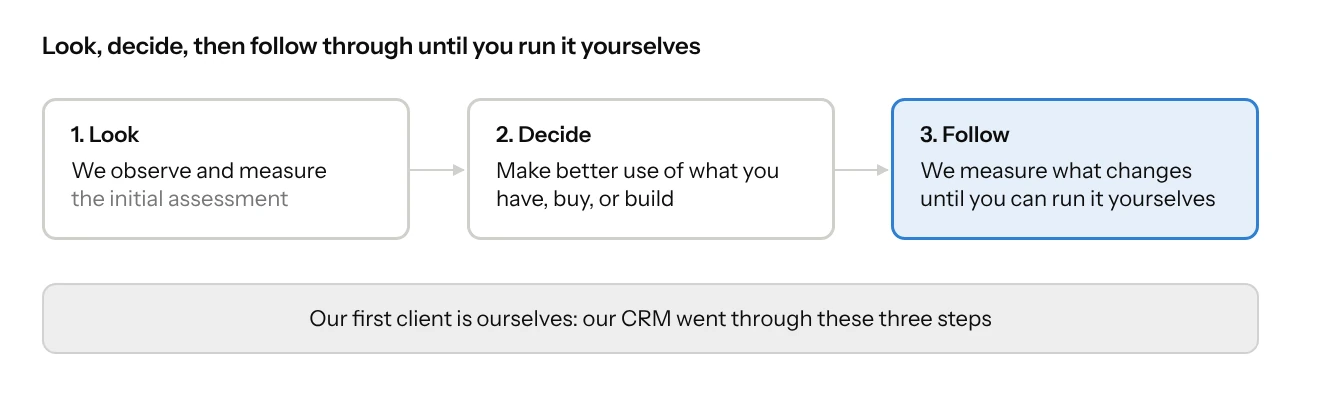
For the most part, we kept what we had: the calendar, the mailbox, the tasks, and dictation: you speak into the microphone, it writes. We built nothing there. On a computer, the system already provides it (Fn Fn on a Mac, Windows + H on a PC); on a phone, it is the keyboard’s microphone.
We bought invoicing software. E-invoicing goes through an approved platform: it is regulated, it changes often, it is no place to experiment.
The sales follow-up, on the other hand, we built. It is the exception, and a deliberate one. Off-the-shelf software would have done, but ours is our testing ground: what works for us, we then know how to set up in your tools. We wrote it with the help of an AI, but the tool itself uses none: when a simple rule is enough, there is no need for AI. Access is protected and tested, and every change is checked before it goes live.
In detail
If you were mainly after the method, you can stop here. What follows describes, step by step, what we built and what we use every day.
We write the way we talk
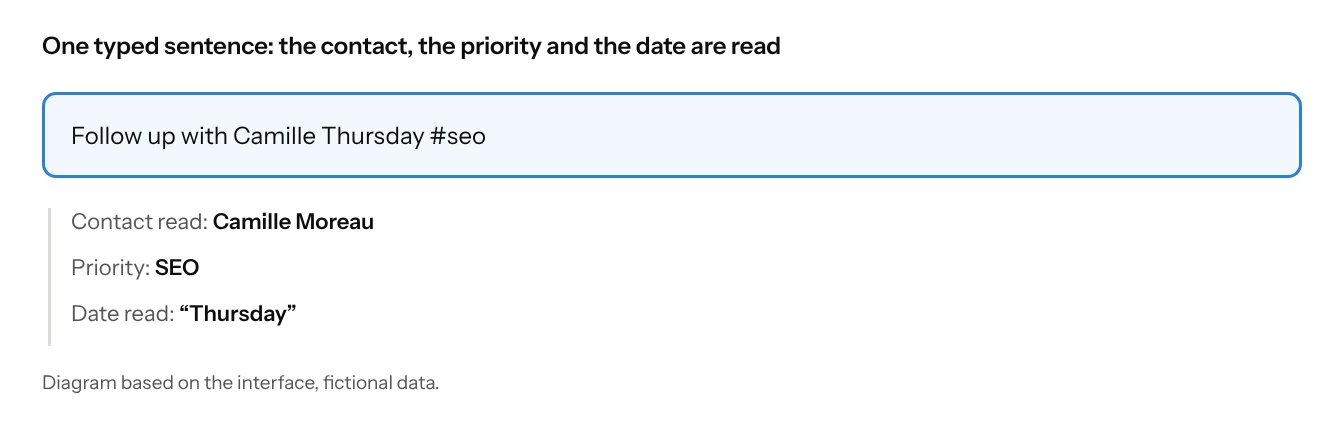
In the morning, we type a sentence the way we would write it on a sticky note: “Follow up with Camille Thursday #seo”. The tool reads the date at the end of the sentence, whether we write tomorrow, Monday, in 3 weeks, 12 Nov or 12/11. It recognises Camille if she is the only one with that first name. And a word preceded by a # (as on social networks) files the action under the right priority for the quarter. So that we can check, it displays “Date read”. And if there are two Camilles, it does not guess: it asks.
Boxes already filled in
Choosing an offer fills in the title, the amount and the days: “At the target price: 9 days × €700 = €6,300”. Ticking “Done” immediately asks: “What next?”, with a date suggested seven days ahead. That is where the next reminder is born.
The “To chase” list fills itself in: contacts with no news for 14 days, or 30 for a client. And five rules suggest what comes next, such as “lost → get back in touch in three months”. Everything stays visible and can be undone; nothing is sent on our behalf.
Mistakes caught
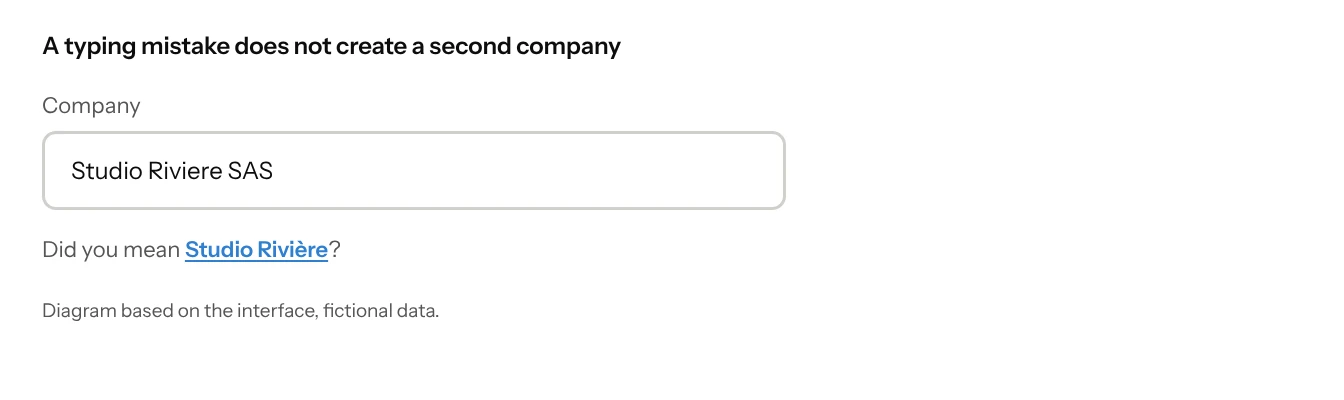
We type “Studio Riviere SAS”, and the tool asks: “Did you mean Studio Rivière?”. It also flags duplicate contacts, without being fooled by accents or word order. But it never blocks anything. Everywhere, rather than an “Are you sure?”, there is an “Undo” for six seconds.
Time and keyboard
On Monday, the timesheet picks up the week before: we correct, we no longer fill in. And to go fast, a few keys are enough: Ctrl K to search or create anything, Space to mark an action “Done”.
What we measured
The tool has been running since 14 October, and we have used it every day since the 26th. Before, each of us had a prospecting spreadsheet; after, a single tool, filled in through the day. Here is what it says about us, unedited.
As of 6 November, for the whole team
- 307 of 309contacts tracked that have a next action
- 5, then 11actions done, first then second week
- 5, then 28actions created by hand, first then second week
- 7weeks of time filled in
- 20changes born from use, since 26 October
The first figure owes a lot to the initial import. What matters is that it holds over time. The last one counts the irritations we met while using it: each became a change, a needless field removed, a shortcut added.
But the real surprise is elsewhere. We enjoyed filling it in, to the point of showing it to anyone willing to look. That is a hint, not proof: the actions created by hand went from 5 to 28 from one week to the next, without anyone asking.
A tool people like filling in gets filled in the same day, and that is what makes it reliable. The time saved with each step, on the other hand, we have not measured yet: that will be our next reading.
Does it run without us?
It is the question we ask every client, and that we ask ourselves. For you, the answer must be yes: they are your tools, your access, your backups, and someone on your side knows where everything is.
A tool people enjoy filling in has a chance of telling the truth. Our next readings, with the same definitions, will say whether it still does. We will publish them here, good or not.
Notes
Phone dictation often goes through Apple’s or Google’s servers, but many recent phones allow it to be kept on the device. Where the data goes, and who can access it, will be the subject of a separate article.